
Sharks! is an educational exploring game, turning shark facts into playful web and mobile interactions.
Sharks is an educational exploration game that invites people to learn facts about sharks through playable experience. Players choose a character, swim through an illustrated ocean and discover 18 short facts inside fluffy white bubbles. Flags preserve those discoveries, while environmental encounters introduce marine habitats and pollution. The intention of the game is to give people a friendly way into a subject they might associate with fear.
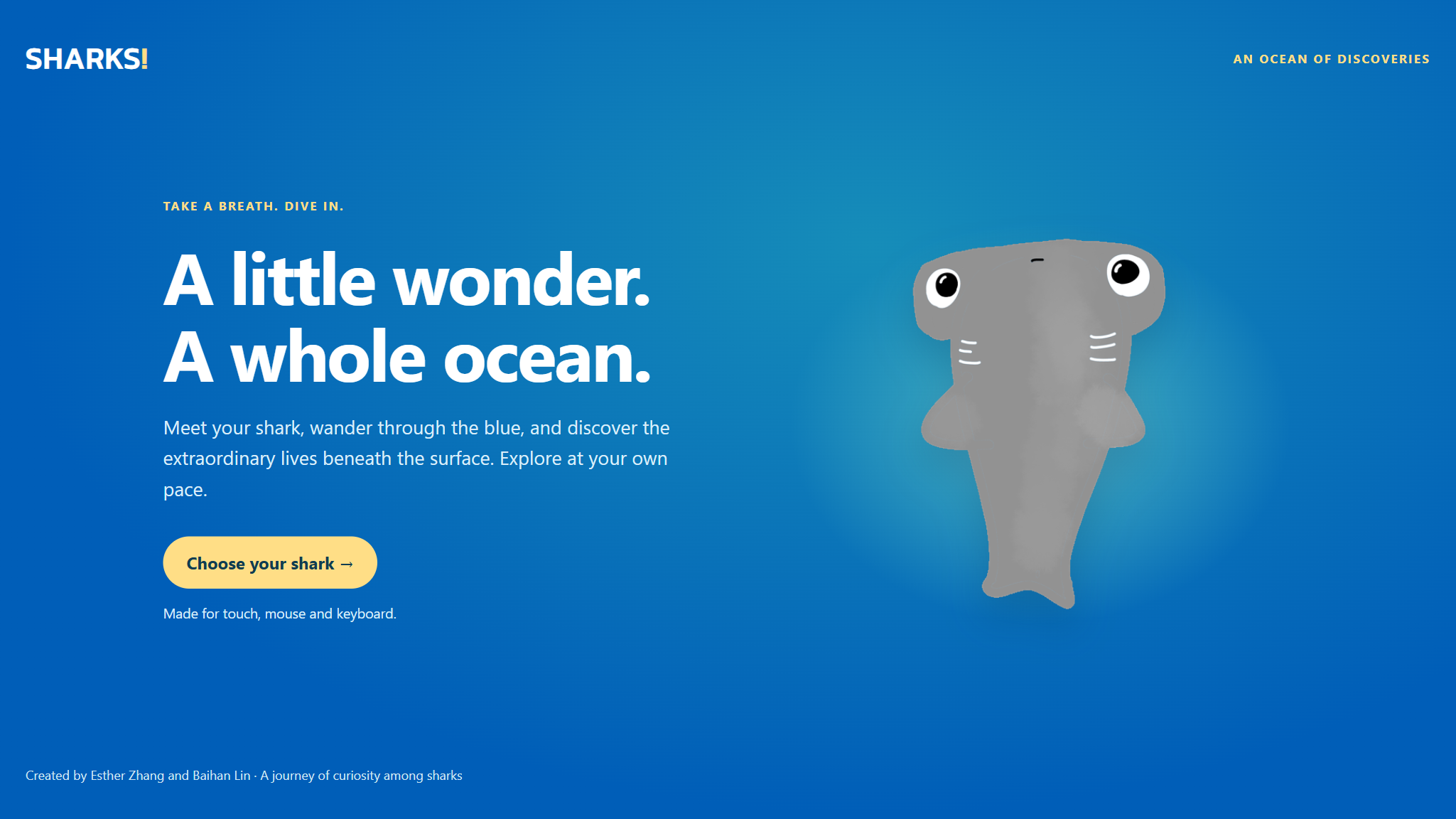
Visiting shark exhibitions made me reconsider the fear I had associated with sharks. I wanted to create a game that encouraged people to approach them with the same curiosity I felt during those visits.
When revisiting the original game, I noticed that the experience did not always support that intention. The shark could be difficult to locate on a phone, facts were hard to read, and touch gestures sometimes triggered more than one action. I focused the refinement on making exploration easier to follow, so players could spend more attention on what they discovered.
The design question: how could players explore at their own pace while understanding where they were, how to move and what they had found?
I had casual players with little prior shark knowledge in mind. Reviewing the prototype helped me identify three priorities for their experience. These were starting assumptions to guide the design, rather than findings from user interviews:
The concept drew on museum visits and educational material from the American Museum of Natural History, New York Aquarium and Smithsonian Ocean. These references introduced me to the diversity of sharks and their role in marine ecosystems, which became the starting point for the game’s content.
I also considered how sharks are represented in games such as Maneater and Hungry Shark World. Their focus on action and feeding helped me clarify a different direction for Sharks: a relaxed experience where learning something new is the main reward. This comparison informed the concept; understanding how players respond to it will require user research.
I approached gamification by asking what would make someone want to explore, what feedback would acknowledge their actions, and what would give them a reason to continue. This led to three connected decisions: make the ocean fun to interact with, give each discovery a visible place, and show progress toward the full collection.
Players can spin, bounce off jellyfish and seals, and catch small fish between discoveries. These encounters give them something playful to do beyond opening fact cards. Finding a fact then adds to their collection, turning an individual moment of curiosity into progress they can see. I wanted these mechanics to encourage continued exploration while leaving players free to move at their own pace.
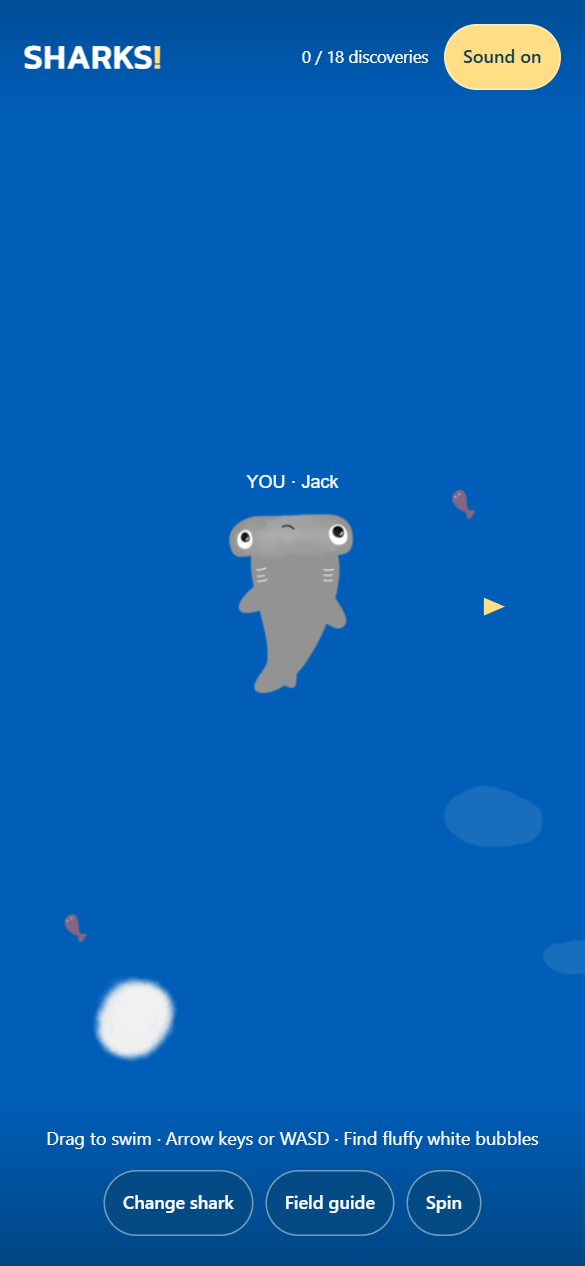
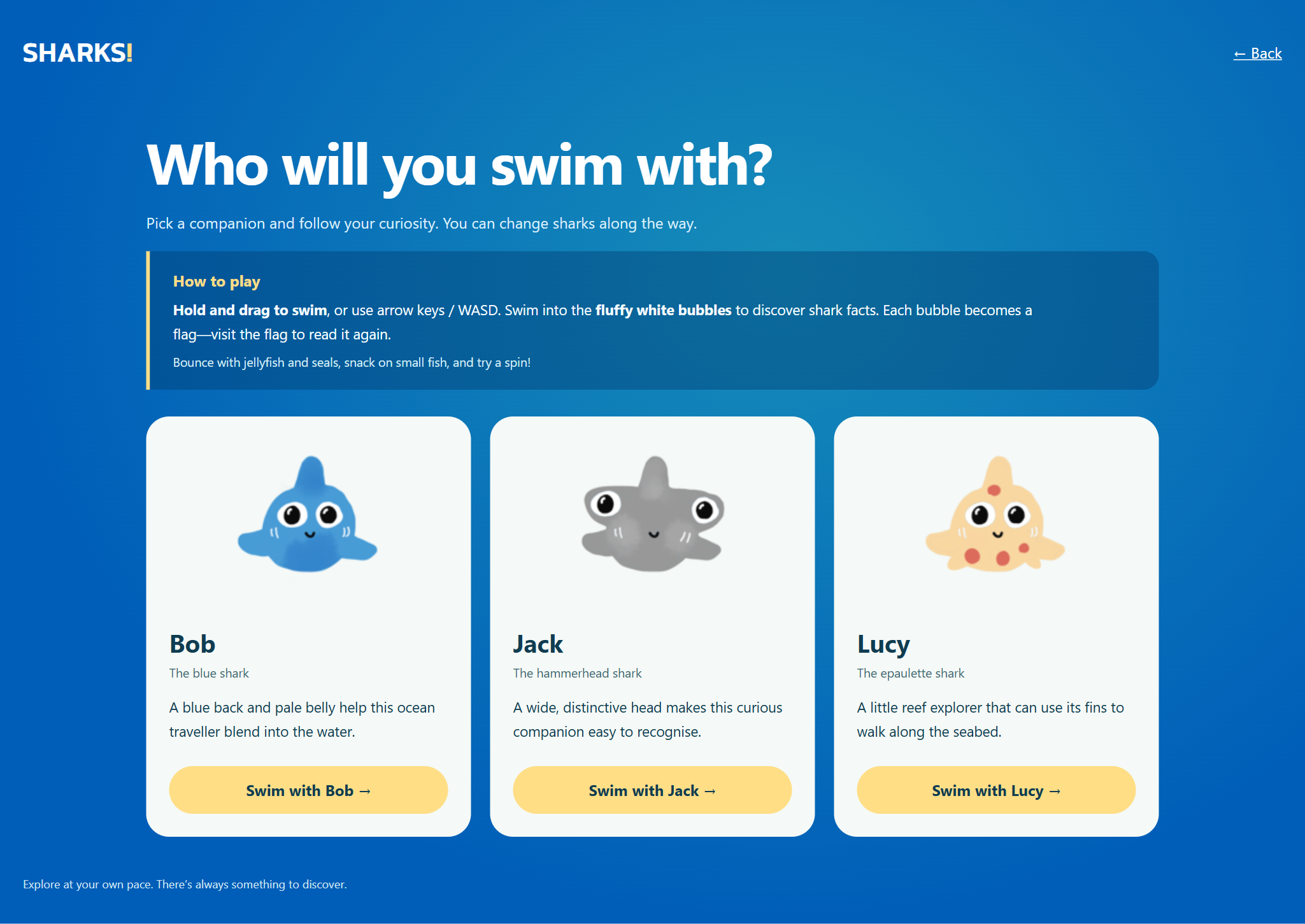
Each screen has a different role. Character selection introduces the controls, the ocean view helps players stay oriented, and the fact card gives them space to read. These simplified layouts show how I prioritized information in each part of the journey.
Working with a playable prototype helped connect the screen designs to movement and feedback. I refined how the shark responds to input, how facts open and close, and how discoveries are remembered. Automated browser checks covered these interactions on desktop and emulated phone layouts.
The checks confirmed that the interactions behaved as expected. The next step is to observe first-time players and see whether the controls and feedback make sense without explanation.
The problem: on smaller screens, the character could be difficult to find. The change: the camera follows the shark, its size adjusts to the available screen space, and a YOU label distinguishes it from other creatures. The layout also leaves room for the header and controls.
I removed the extra circles around characters and objects to keep the ocean visually uncluttered. Camera tracking and the label provide the guidance instead. Rotating the phone also resets movement input, giving players a stable starting point in the new orientation.
I separated actions that had been competing with one another. Dragging moves the shark, while a dedicated button handles spinning. When a fact opens, the ocean pauses and movement input is cleared. Players can then read without worrying about where their character is going.
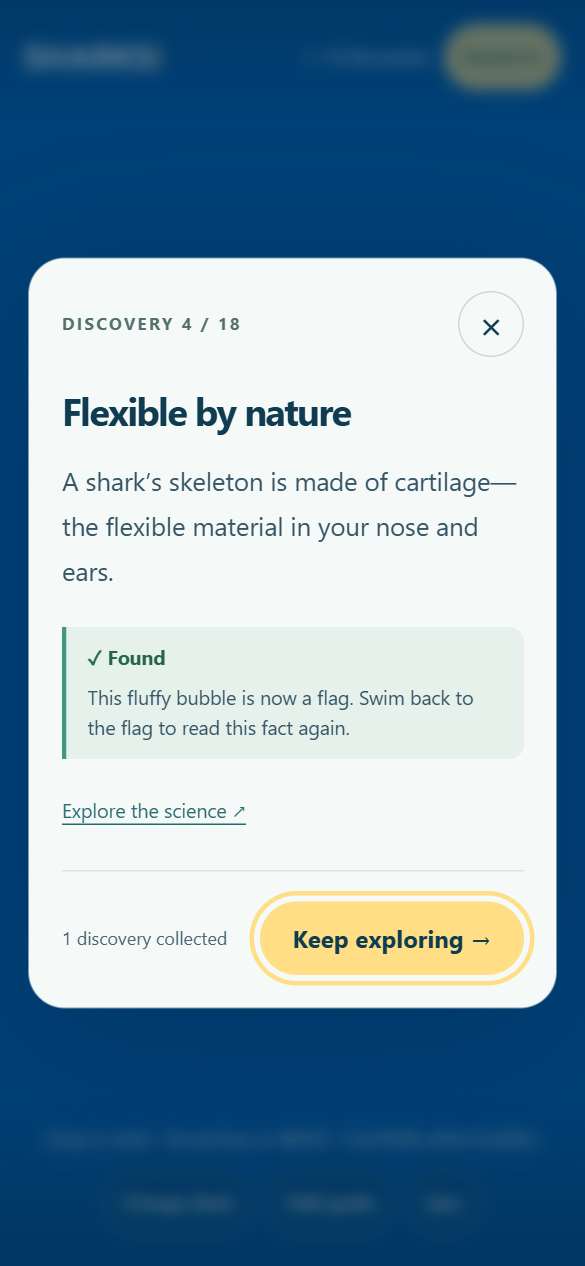
Touching a bubble opens its fact immediately, connecting the encounter to a moment of learning. Because this interrupts swimming, I kept the card brief and easy to close. In usability testing, I would explore whether players prefer this immediate response or an option to open the fact themselves.
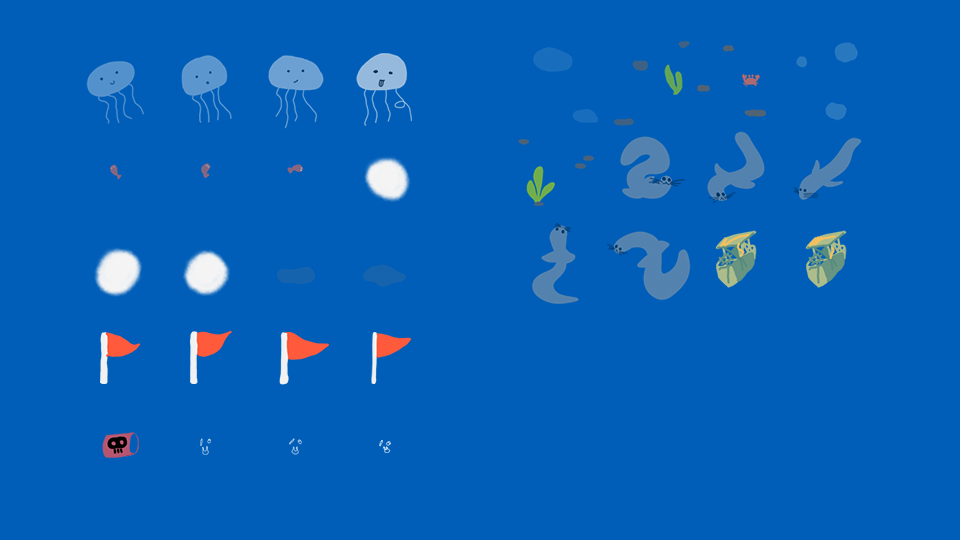
I used two visual states to distinguish facts players have opened from those still waiting to be discovered: a fluffy white bubble becomes a red flag when its fact is revealed. The flag remains in the ocean, giving that discovery a lasting presence. The change in shape, together with the Found label, explains progress without relying on color alone.
The discovery count shows how much of the 18-fact collection has been found, while the field guide brings the opened facts together for rereading. Bubbles show what is still unread in the ocean; flags show what has already been opened. This gives players a next step without making them follow a fixed route. Revisiting a flag does not increase the count. Here, “read” means the fact has been opened—the game does not assess whether it has been fully read or learned.
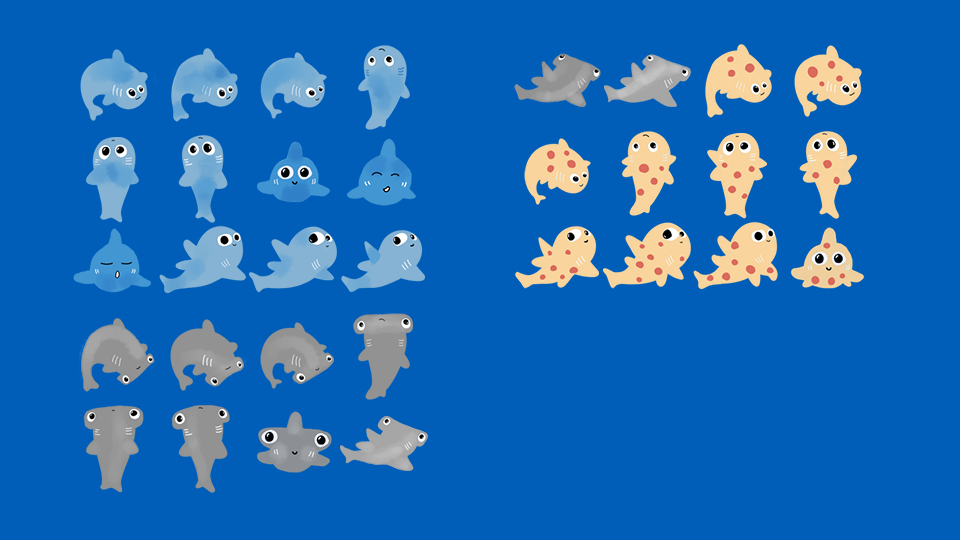
The shark and assets illustrations set a playful tone. I carried that into the interface through an ocean-blue background and warm yellow actions, with pale surfaces and dark text for easy reading.
Content hierarchy: each fact card follows the same order: title, short explanation, discovery status and return action. Reusable components: character cards and buttons use consistent spacing and visual treatment. Interface language: “fluffy white bubbles” connects instructions to the artwork, while “Found” explains progress. Interaction states: visible keyboard focus and scrollable cards help the interface work across input methods and screen sizes.
The asset sheets show how the visual details support the interactions. The shark poses give movement and spinning a playful character. Jellyfish, seals and small fish create opportunities for contact, while the white bubbles and red flags make discovery states part of the ocean itself.
Contributing to the code helped me work through details that a static layout could not show: what happens when a finger lifts, the screen rotates or a player returns to a saved game. These details became part of the interaction design.
The ocean is built with p5.js and p5.play, while menus and fact cards use HTML and CSS. Keeping the reading interface separate from the canvas makes text layout and scrolling easier to manage as the camera moves. Discoveries are saved in the browser; cross-device progress is outside the current scope.
The refined prototype brings character selection, exploration, reading and completion into one continuous experience. Browser checks covered all three characters at four viewport sizes—320 × 568, 390 × 844, 844 × 390 and 1366 × 768—using desktop Edge with phone emulation.
These results confirm the tested behavior. The gamification choices are intended to encourage exploration and engagement; their effect has not yet been measured with players. In a future study, I would look at whether players understand the read/unread cues, continue to another discovery after an encounter, and return to previously opened facts. Learning outcomes would need a separate assessment.
This project helped me see how closely visual clarity depends on interaction behavior. A readable fact card still needs a reliable way back to the game; a progress marker needs to make sense after its message disappears. Working on both the design and code helped me follow those decisions through the whole experience.
Esther Zhang: game concept, UI/UX, interaction design, visual details and coding contribution. Baihan Lin: project collaborator. Tools: HTML, CSS, JavaScript, p5.js and p5.play.
Play Sharks · View the project code. Educational references also include NOAA Fisheries and the Florida Museum.