
01 · A small movement can make something big
Tiny Wheel Studio’s story starts with Wheel Art: an engaging art experience in which children who use wheelchairs paint on a canvas through movement. I was drawn to the way it turns mobility into a means of creative expression.
That idea inspired Tiny Wheel Art, a physical experience I developed at Elizabeth Seton Children’s Center. I brought the wheel-and-canvas relationship to adapted remote-controlled toys, giving children another way to move across a canvas and make collaborative artwork. Tiny Wheel Art took shape through a workshop I led with more than 20 staff across five departments to adapt toys with accessible switches.
The important part was not driving a car correctly. It was being able to make a choice, see it become a mark, and contribute to something shared. Working with children with medical complexities taught me to start with what a person can control, rather than assume everyone can use the same interface.
I wanted to carry that relationship between movement and expression beyond a particular room, set of toys, or facilitated workshop. A browser could let more people explore the idea on devices they already have. The digital version is an extension of the physical experience, not a replacement for its sensory and social qualities.
My role across the three versions
Wheel Art was the inspiration, not my invention. I developed Tiny Wheel Art at ESCC, led the staff workshop, and helped carry the adapted-toy experience into use. For Tiny Wheel Studio, I directed the interaction and visual design and used AI-assisted development to build and deploy the browser experience. The question has stayed consistent: how can a person’s available movement become a choice they can see?
02 · Translate the experience, not just the objects
I mapped the physical experience into the qualities I wanted to preserve, then considered what a digital platform could make more flexible. This is a retrospective map of the design decisions, rather than a claim that the project followed a perfectly linear process.
Adapted toy + switch
A child chooses when and how to move.
Agency through movement
Different inputs should lead to meaningful expression.
Choose your way to play
Touch, pointer, keyboard or switch-based controls.
| Physical starting point | Digital decision | Intended benefit |
|---|---|---|
| Toy cars leave paint on paper | Illustrated rides leave customizable trails | Keep the action-to-mark relationship visible |
| Adapt equipment to a child’s movement | Separate input choices from the painting experience | Offer more than one route to participation |
| Make artwork around one canvas | Join a shared canvas with a short code | Create together across devices |
| Prepare materials and support staff | Open a link, name a ride, start playing | Reduce setup and account-management friction |
| Keep the finished painting | Download a JPG in a chosen ratio and size | Keep the result without maintaining an online gallery |
03 · A simple invitation, with room to explore
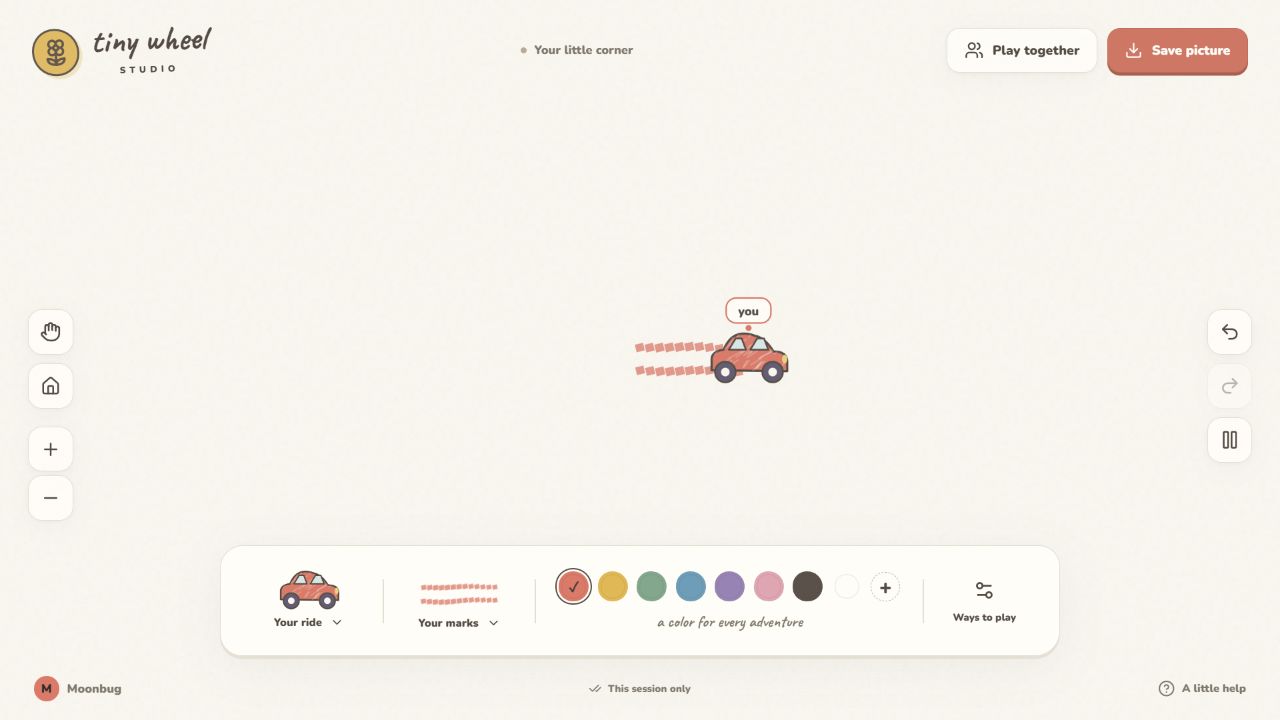
I designed the core experience around a short sequence: understand the available controls, name a vehicle, and make the first mark. Customization and collaboration sit around that loop, rather than becoming prerequisites for play.
- Choose a way to play
- Name a ride
- Move → leave a trail
- Experiment or invite others
- Download a picture
A large, borderless-feeling canvas keeps attention on the artwork. A small location label helps players identify their ride. Vehicle, mark and color choices sit together, while view controls, undo and pause remain distinct. Players can change colors, decorate their ride, create a custom mark, or simply keep moving.
I kept the experience open-ended. There is no score or prescribed picture to copy. The reward is seeing an action become something visible and personal. Shared play adds the possibility of responding to another person’s marks without turning the activity into a competition.
04 · A digital canvas that still feels handmade
I chose illustrated vehicles, warm paper, soft colors and textured trails to retain a connection to the original artmaking activity. The interface should feel like an invitation to experiment, rather than a technical drawing application.
Primary action
#E97464Playful accent
#E8B63DCreative choice
#9B83B8Quiet canvas
#FAF7EFThe game pairs expressive lettering with readable control labels. Rounded surfaces and illustrated rides carry the personality; the canvas stays visually quiet so the children’s marks can become the most important content. These choices express the intended tone, but comfort, legibility and contrast still need to be evaluated with the intended audience.
I also wanted the movement itself to support that visual language. Perfectly straight or mechanical trails felt disconnected from making art by hand. Refining turns and adding bounded, consistent variation to the marks helped the trail feel more drawn while keeping movement understandable.
05 · Design for different ways of taking part
In my work at ESCC, “Can this person use it?” is a more useful starting question than “Does it have enough features?” I applied that perspective to both the control scheme and the effort required to begin.
- Direct input: touch, stylus and pointer interaction for people who can move across the canvas.
- Discrete input: keyboard movement, tap-to-drive, and one- or two-switch modes for alternative ways of making choices.
- Familiar hardware: support for keyboard-emulating switches and Makey Makey inputs, with remapping options.
- Adjustable pacing: ride speed, scan timing, pause and stop controls accommodate different interaction rhythms.
- Low setup burden: no account or password; a vehicle nickname and shared-studio code are enough to start.
Device-aware guidance introduces relevant ways to play. A touch-capable device may also have a keyboard or an adaptive interface, so detection is a starting point for guidance—not a diagnosis of someone’s abilities.
Current boundary: these are implemented input options, not evidence of universal accessibility. Early testing with children at ESCC is underway. Physical switch compatibility and independent use of the complete interface remain areas to evaluate more systematically. Voice, eye tracking, hand tracking, heart rate and brainwave input remain possible research directions; they are not shipped features.
06 · Iterate on what interrupts the experience
My own trials on a phone and laptop exposed problems that were easy to miss when looking only at a static screen. I used those observations to revise the interaction and scope. These were designer-led checks, not a formal user study.
| What I noticed | What changed | What still needs validation |
|---|---|---|
| Trails felt too straight during turns and spins | Refined turning behavior and handmade trail variation | Whether users find the movement expressive and predictable |
| The ride lagged behind a finger or cursor; changing speed did not solve it | Revised direct dragging to follow the latest input instead of replaying a backlog; kept speed meaningful for tap-to-drive | Responsiveness on the actual tablets and browsers used at ESCC |
| The mobile control area could obstruct “Ways to play” | Reworked access to the control choices and device-aware introduction | Reachability across small screens, orientation and text sizes |
| Sign-in added unnecessary work before painting | Replaced accounts with guest nicknames and join codes | How easily children and facilitators can start and reconnect |
| Saved profiles and libraries exceeded the purpose of a temporary activity | Kept solo art in the tab, added shared-session expiry, retained JPG export | Whether the save and expiry messages are understood |
| More effects risked obscuring the core experience | Separated sand, pixel and splash experiments into an Art Lab direction | Which additions genuinely support expression |
07 · Carry the design through to deployment
I directed the concept, visual style, interaction priorities and iteration, using AI-assisted development to translate those decisions into a working React and TypeScript application. My role was to keep the implementation accountable to the experience: clear feedback, responsive movement, adaptable controls and a manageable path into shared play.
Solo painting stays in page memory. Shared painting uses a Worker API and temporary database records to exchange marks and participant positions. GitHub holds the source and runs the deployment workflow; Cloudflare serves the app. This separates the enduring website from the temporary activity taking place within it.
Shared canvases expire after 30 minutes without a connection, with a 12-hour maximum. A scheduled cleanup removes expired room data. Players download a JPG to keep their work. This scope reflects the product’s purpose: an interactive encounter, rather than an account-based artwork archive.
Before deployment, 16 unit tests and 31 integration checks passed, alongside TypeScript checks and a production build. Coverage included input behavior, export dimensions, ownership, shared updates, expiry and actual cleanup. Browser checks confirmed basic drawing, nickname entry, shared-studio creation and refresh behavior. These checks support technical confidence; they do not substitute for accessibility or usability research.
08 · What people are making, and what I’m learning
Tiny Wheel Studio is now deployed as an independently hosted browser experience. The outcome I can demonstrate today is a working translation of a physical concept into a digital product—from interaction and visual direction through implementation, testing and release. I am not yet claiming improved participation or therapeutic benefit from the digital version.
Early play sessions
I am now testing Tiny Wheel Studio with children at ESCC and with friends. The early feedback has been encouraging, and participants have begun making their own artwork. These sessions are an opportunity to see how the experience works beyond my own way of using it.

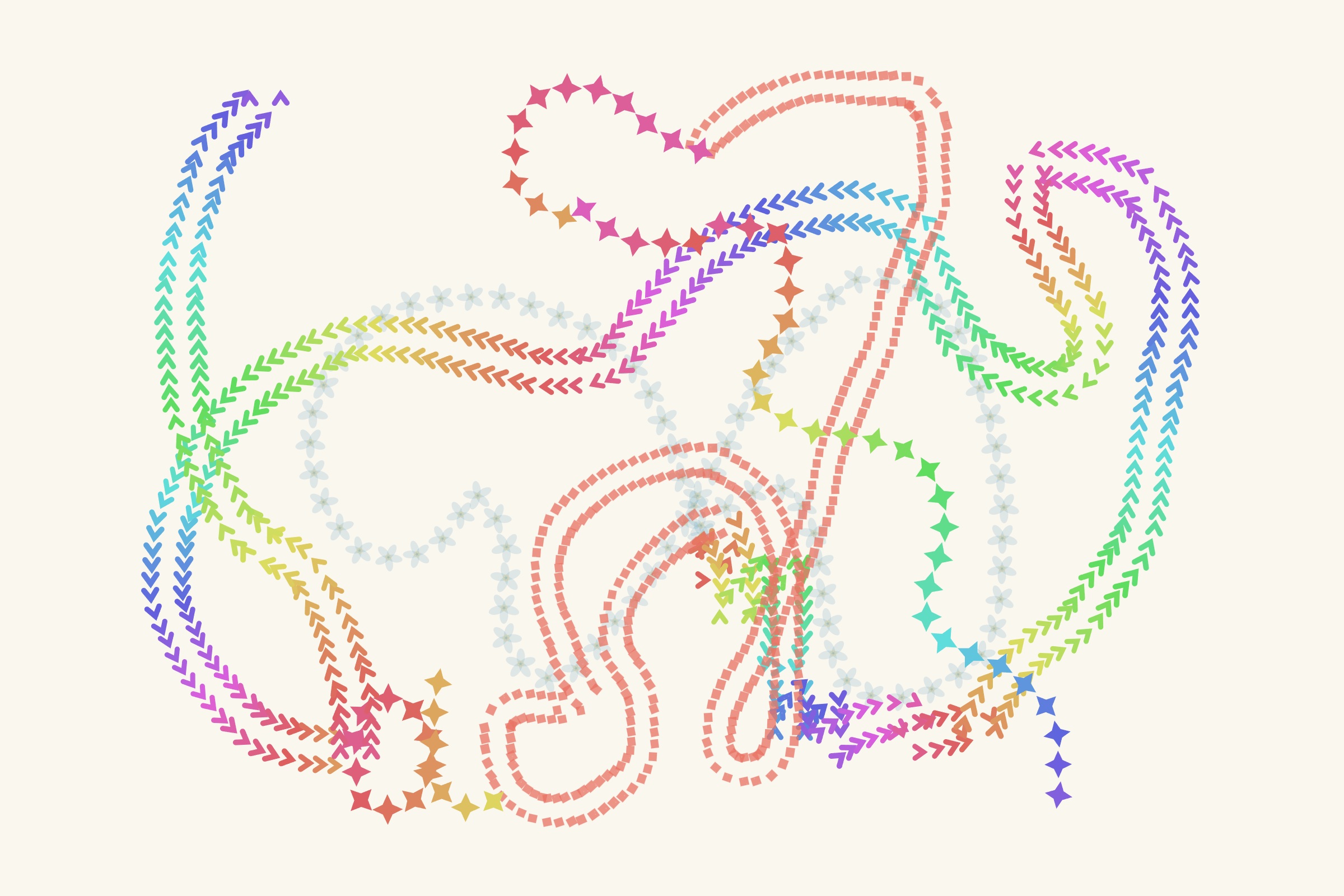
Feedback → a question for the next iteration
One suggestion from these early sessions was to add background music. It prompted me to consider how sound might contribute to the atmosphere of making art, alongside the visual feedback of a trail appearing.
I would explore music as an optional layer, with a clear on/off control and adjustable volume. A quiet experience should remain equally complete. The next question is whether music makes play more enjoyable for different participants, or competes with their attention, communication and sensory preferences. This is a direction to test, not a feature I have added yet.
Next exploration: eye and movement tracking
I am considering eye tracking and movement tracking as additional ways to make marks. These are future explorations, not implemented controls. Before adding them, I would test how a person starts and stops intentionally, how tracking behaves when a gaze or hand leaves the active area, and how to recover without losing control of the canvas. I would work with participants and their facilitators to understand whether a new input offers meaningful choice or adds effort.
Continue testing the whole journey
As testing continues, I want to look more closely at choosing a control method, making an intentional mark, changing a color, participating with someone else and keeping the result. I plan to record where assistance is needed, where actions are misunderstood, and whether a child can stop or recover comfortably. Facilitator feedback on setup effort and equipment compatibility will help determine what to refine next.
Success would not be measured only by time spent. A brief, intentional act of expression may matter more than a long session. I want to learn whether the experience gives each participant meaningful choices—and whether those choices remain available when their input method changes.